
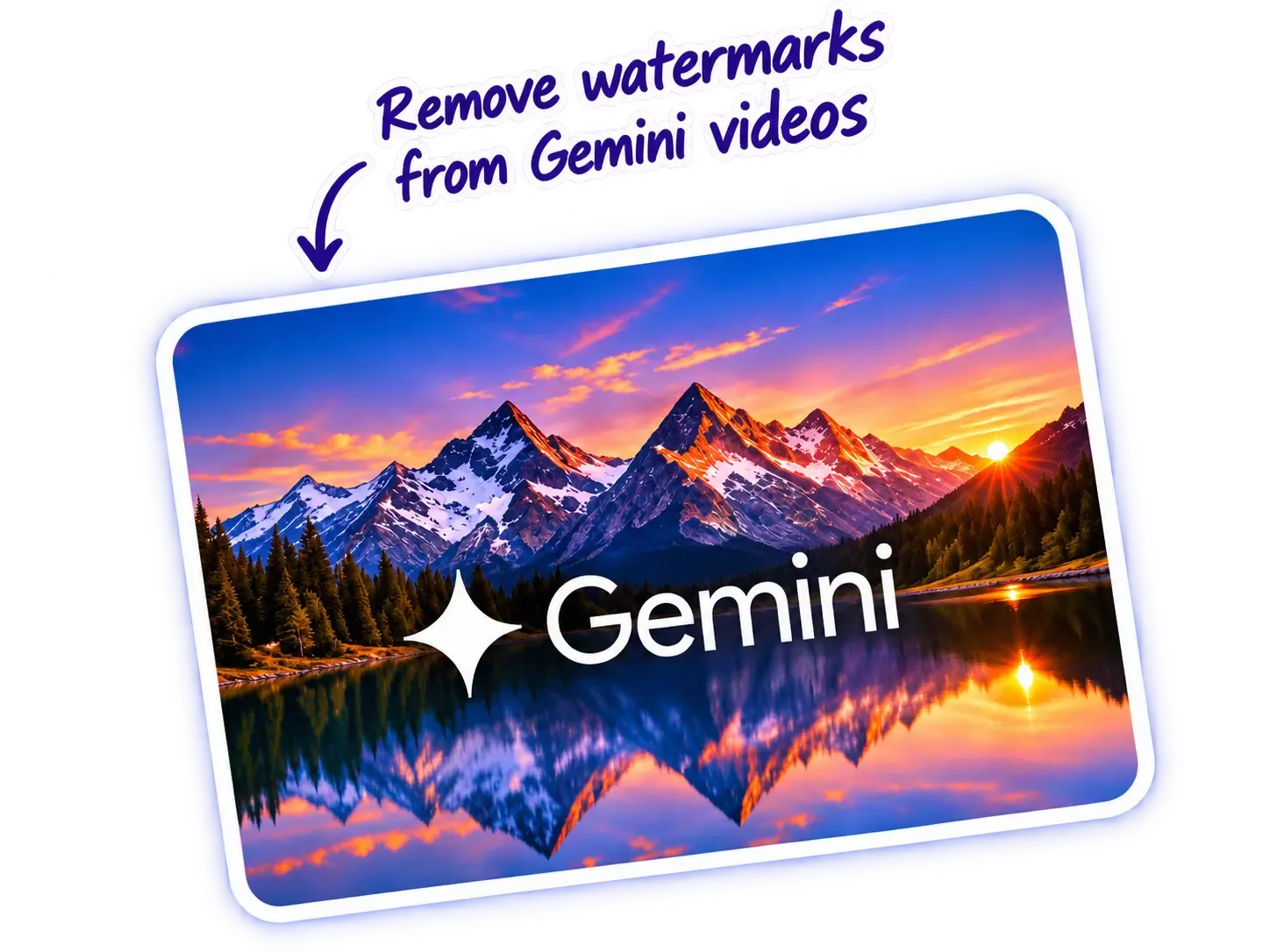
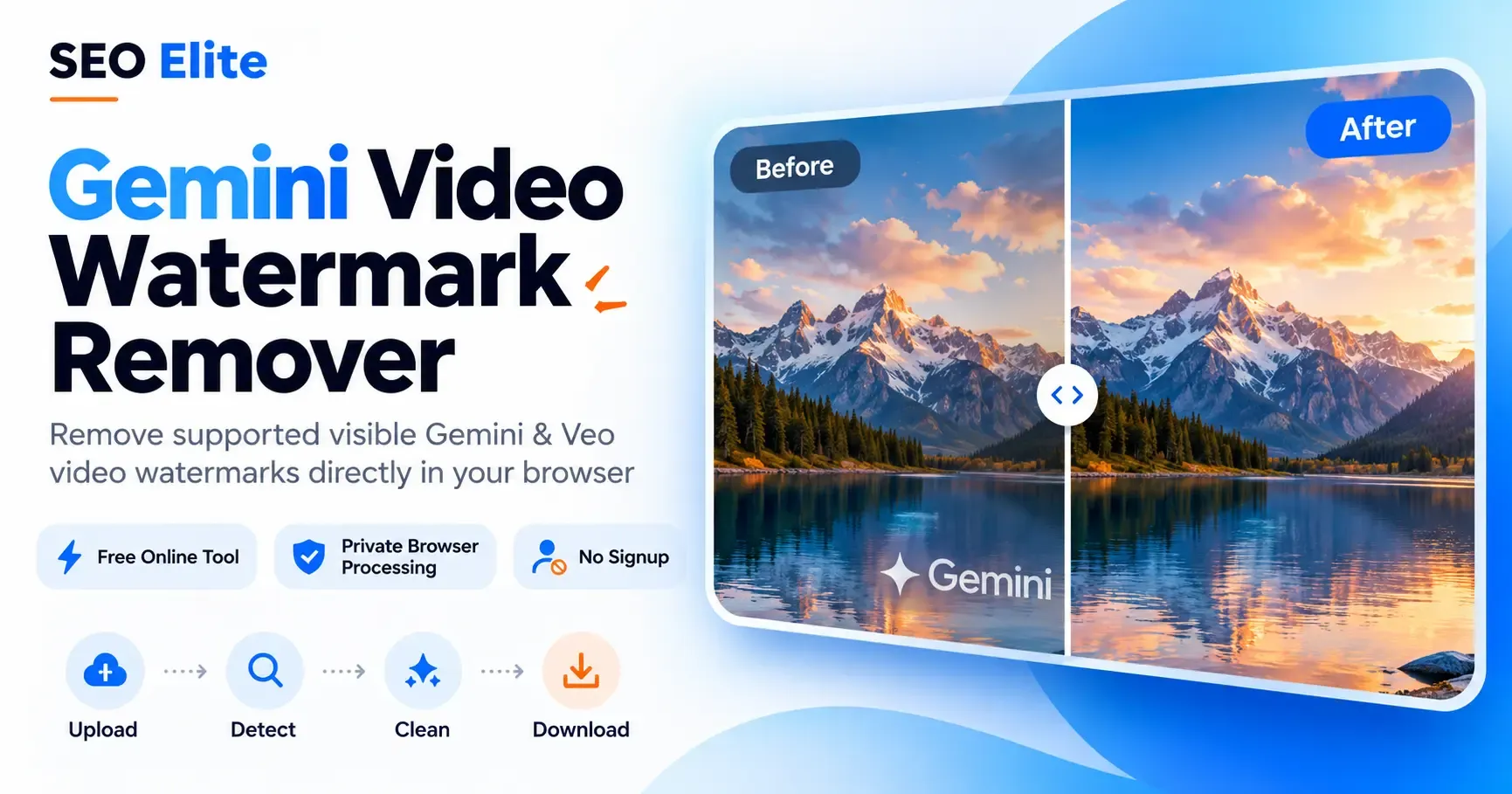
Gemini Video
Watermark Remover
Remove supported visible watermarks from Gemini, Google Flow and Veo videos with our free online video watermark remover. Upload a compatible MP4 video, detect the visible logo, and download your processed video directly from your browser.
SEO Elite processes supported videos locally using WebCodecs and reverse alpha blending. No signup or server upload is required. The tool targets recognized visible watermark patterns and does not remove Google's invisible SynthID.
Before and After Gemini Video Watermark Removal Preview
Browser WebCodecs Support Notice
Your current browser does not support the WebCodecs video encoding standard. For hardware-accelerated local processing, please open this tool in a modern desktop browser (Google Chrome, Microsoft Edge, or Brave).
Processing Notice
Selected Video
Clean Output Preview
Click "Remove Video Watermark" below to process this video locally. The cleaned video will play here.
Your Video Is Ready!
Watermark removed. Output re-encoded as MP4 with compatible audio preserved.
Fast Processing
Process supported MP4 videos locally, with speed depending on video length and device performance.
High Quality
Preserve source dimensions where supported, with minimal visible changes outside the watermark area.
100% Free
No sign up required, completely free to use.
MP4 Format
Supports MP4 video files with H.264/AVC encoding and AAC audio.
Browser Compatibility
Works in compatible WebCodecs browsers. Desktop Chrome, Edge, and Brave are recommended.
Reverse Alpha Blending
Reconstructs underlying pixels mathematically without blurring.
Remove Gemini Video Watermarks Online for Free
Have you generated a video using Google Gemini, Google Flow, or Veo and need to remove watermark from video online free? Exported MP4 files from modern AI video generators often include a corner stamp or semi-transparent logo. Finding a dependable video watermark remover that cleans your clips without requiring paid subscriptions, desktop software, or cloud rendering queues can be difficult.
SEO Elite provides a specialized, 100% free video watermark remover online tailored for AI-generated clips. If you need a reliable video watermark removal tool that respects your privacy, our utility processes your footage directly inside your web browser. Instead of cropping your composition or applying an ugly blur, our engine identifies supported corner patterns and executes mathematical reverse alpha blending to reconstruct the underlying pixels.
This approach allows creators to delete watermark from video clips while preserving the original resolution and timing. Whether you need an effective gemini video watermark remover for client deliverables or want to remove logo from video clips created in generative experimentation, our in-browser pipeline delivers clean MP4 downloads without watermarking your exported files. For static AI photos, use our companion Gemini Image Watermark Remover.
You can inspect the source footage, monitor frame-by-frame processing in real time, and download the finished MP4 immediately upon completion.
Why use this video watermark remover?
Free browser-based processing
Use the tool without creating an account.
No server upload
Your selected video is processed locally on your device.
Targeted watermark restoration
The tool attempts to restore affected pixels rather than simply hiding the watermark with a blur.
Video preview
Compare the original and processed results before downloading.
Audio preservation
Compatible audio tracks can be copied into the output without re-encoding.
Simple MP4 download
Save the processed video directly to your device.
How to Remove a Gemini Video Watermark or Logo
Removing a supported corner mark or logo from your video takes four straightforward steps. Whether you need to delete watermark from video exports or remove the watermark from video presentations, our client-side utility makes the process simple, secure, and fast:
Step 1: Select or drop your MP4 video
Click the upload area or drag an MP4 file into the tool. Your browser reads the video container details, duration, and resolution without uploading data anywhere.
Step 2: Detect watermark coordinates
Click Remove Video Watermark. The tool analyzes video frames to identify supported watermark candidate patterns and coordinates to remove logo from video exports accurately.
Step 3: Process frames via reverse alpha blending
Once detection succeeds, the client-side engine reconstructs affected pixels frame by frame to remove watermark from video online without blur. You can monitor the real-time progress bar as frames are processed.
Step 4: Synchronized preview and MP4 download
When processing completes, preview the video in the synchronized player. Click Download Processed Video to save the cleaned MP4 to your device with our 100% free video watermark remover.
Free Video Watermark Remover for MP4 Files
Many online video editors advertise a free video watermark remover, only to place their own brand watermark over your finished export or demand an expensive monthly subscription before allowing an MP4 download. SEO Elite provides a genuinely free, unrestricted utility: there are no credit card prompts, no trial limits, no account registrations, and no secondary watermarks added to your output.
Our watermark remover video online free workflow is built specifically for MP4 container files containing H.264 (AVC) encoded video streams and AAC audio tracks. Because modern browsers provide native hardware-accelerated decoding through the WebCodecs API, your computer or laptop handles all pixel operations directly in memory. This enables fast processing times while ensuring that zero bytes of your video ever leave your device.
Understanding video re-encoding: While static image restoration can sometimes be saved losslessly as PNG, video formats require re-encoding frames into an output MP4 stream. Our engine preserves the source frame dimensions (such as 1080p or 720p) and copies compatible AAC audio without lossy sound re-compression. However, video re-encoding is fundamentally lossy due to H.264 compression standards. Even with high-bitrate settings, subtle compression variances can occur across the video canvas. We encourage creators to inspect the built-in synchronized player before saving their file.
Google Flow Video Watermark Remover
Creators producing AI video through Google Flow pipelines frequently receive MP4 exports stamped with visible corner logos. If you are searching for a dedicated google flow watermark remover or google flow video watermark remover, SEO Elite provides an instant in-browser solution. You can clean supported watermarks without installing complex editing suites or paying for monthly cloud rendering subscriptions.
Google Flow utilizes underlying Google generative video architectures that place a semi-transparent watermark in standard corner positions upon export. To process a Google Flow clip, ensure your file is in standard MP4 format encoded with H.264/AVC video. When you add the file to the tool, client-side WebCodecs and a background Web Worker inspect the video frames entirely on your machine. Your footage remains completely private and is never uploaded to remote servers.
Please note that not every Google Flow video is supported. If a clip has been cropped, re-encoded with heavy lossy compression, scaled to non-standard resolutions, or exported with unusual aspect ratios, automated detection may fail. For supported clips, you can review the side-by-side synchronized video player before clicking Download Processed Video to save your cleaned MP4.
Google Veo 3 Video Watermark Remover
Generative video produced with Google Veo and Veo 3 models often includes a semi-transparent corner mark or Veo text overlay. If you are looking for a reliable veo 3 watermark remover, google veo watermark remover, or advanced ai video watermark remover, our free online utility is engineered to identify and restore these specific visible watermark geometries.
The tool scans common 1080p and 720p dimensions to detect supported Veo watermark coordinates. Once located, it applies mathematical reverse alpha blending across each frame, reconstructing the background pixels behind the semi-transparent mark without blurring or smudging.
Processing runs locally in your browser using modern WebCodecs hardware acceleration in Chromium-based browsers (Google Chrome, Microsoft Edge, Brave). If your Veo video contains a compatible AAC audio track, the audio stream is demuxed and preserved without re-encoding, maintaining audio-video synchronization. Note that because visual frames are re-encoded into an MP4 container upon export, output is not mathematically lossless. Always inspect the rendered video player before downloading.
How Gemini Video Watermark Removal Works (Reverse Alpha Blending)
Gemini, Google Flow, and Veo videos feature a visible watermark layered over video frames. A semi-transparent watermark alters the color values of the underlying pixels according to an alpha blending equation rather than replacing them with an opaque color.
SEO Elite applies reverse alpha blending to algebraically invert this transformation for each pixel in every video frame. Standard linear alpha blending combines the original pixel color (C_original) with the watermark color (C_watermark) using an opacity value (α) between 0 and 1:
C_original = clamp((C_watermarked - α × 255) / (1 - α), 0, 255)This mathematical approach allows our tool to remove video watermark without blur. By calculating the inverse color value rather than applying a Gaussian blur filter or painting an opaque patch, the original detail beneath the watermark is recovered. Unlike a generic ai video watermark remover that hallucinates imagined content across blurry patches, reverse alpha blending reconstructs the actual image data.
However, it is important to understand why the final video is not mathematically lossless: pre-existing compression artifacts (such as H.264 macroblocking), subtle alpha variations in non-standard exports, and the required browser MP4 re-encoding step mean that slight pixel variances can occur in the final exported file.
Before and After: Gemini Video Watermark Removal Demonstration
Examining video frames before and after processing illustrates how reverse alpha blending restores image pixels without blurring the underlying footage.
Below is a genuine visual comparison sample from our benchmark test library, evaluated on a verified 1280 × 720 (720p HD) MP4 export encoded with H.264/AVC video and AAC audio.
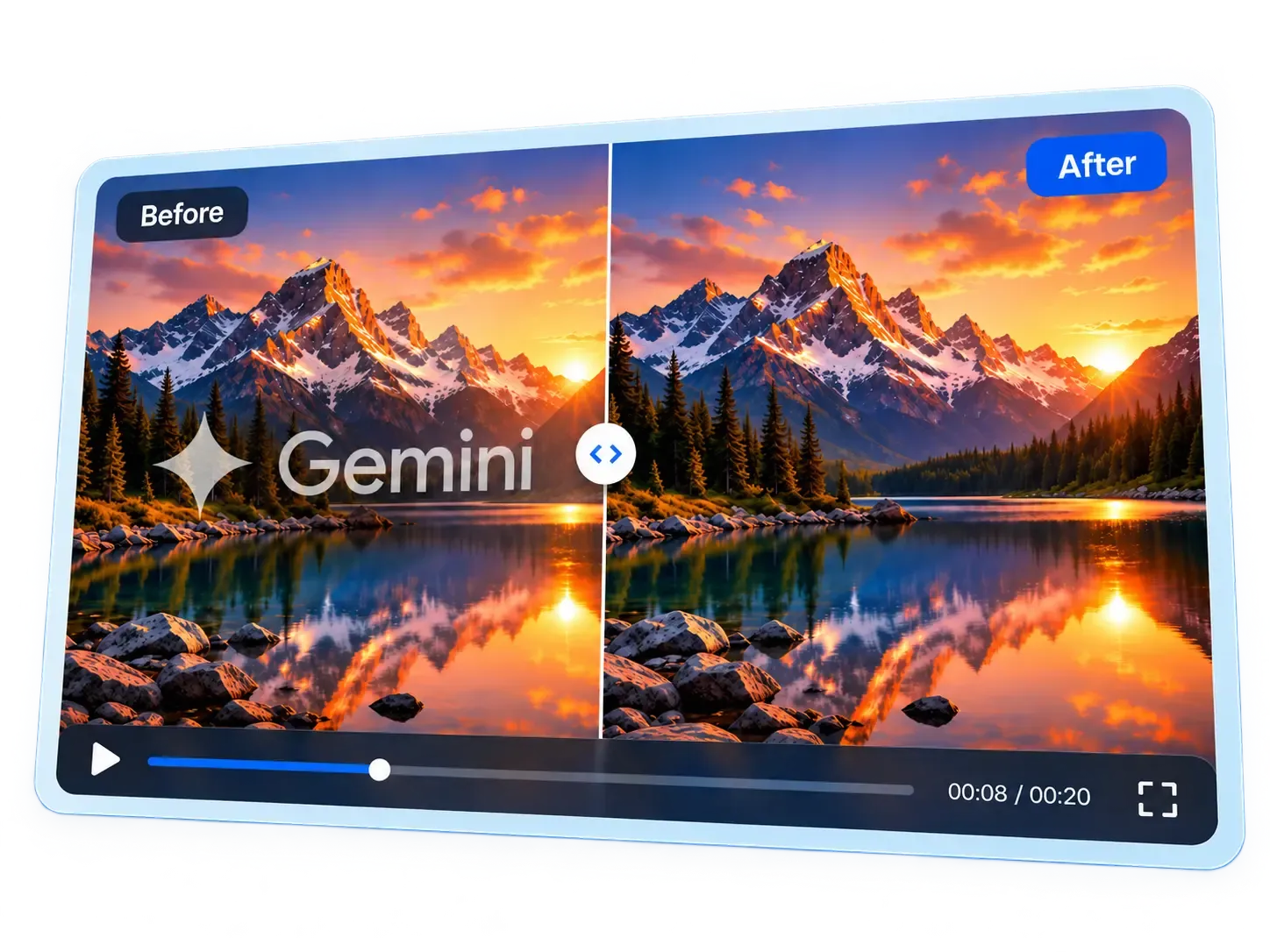
Restoration results may vary: Inversion accuracy depends on background detail, texture motion, and pre-existing video compression. When the underlying scene is relatively uniform or steady, reverse alpha blending recovers pixels cleanly. On fast-moving, high-frequency textures or clips with heavy lossy compression, subtle boundary artifacts may remain. Output re-encoding into an MP4 container also introduces slight compression differences.
Supported Video Formats and Browser Compatibility
Our video watermark remover is engineered specifically for recognized visible Gemini, Google Flow, and Veo watermark geometries.
Because all decoding, frame calculation, and re-encoding occur locally inside the browser, compatibility is governed by web standards including WebCodecs and Web Workers. Below is the verified compatibility matrix for implemented features:
| Component / Standard | Support Level | Technical Considerations |
|---|---|---|
| Supported Container | MP4 (.mp4) | Standard ISO base media file format. Verified with standard exports from Google Gemini, Google Flow, and Veo. |
| H.264/AVC Video | Fully Supported | H.264 (Advanced Video Coding) baseline, main, and high profiles are decoded and re-encoded via browser hardware acceleration. |
| AAC Audio Handling | Preserved | Compatible audio streams are demuxed and copied into the output MP4 without lossy audio re-encoding or pitch shifting. |
| WebCodecs API | Required | Required for frame-level video access in Web Workers and client-side MP4 generation. |
| Desktop Browsers | Recommended | Google Chrome, Microsoft Edge, Brave, and other Chromium browsers (v94+) offer optimal hardware acceleration and memory limits. |
| Mobile Browsers | Conditional | Mobile devices with limited RAM may struggle with long or high-resolution 1080p clips due to strict browser tab memory caps. |
Does this tool remove watermarks without blur?
For supported semi-transparent watermark patterns, the restoration algorithm applies reverse alpha blending to mathematically recover affected pixels rather than simply placing a blur over the logo.
While this avoids blurring the frame, results are not mathematically lossless. Compression artifacts can remain, and video re-encoding may slightly affect image quality. Always inspect the processed preview before downloading.
Does it preserve video quality and sound?
The tool aims to retain the original resolution and preserve compatible encoded audio tracks.
Because the video frames are re-encoded into a new MP4, the output is not mathematically lossless. Some visual differences may occur even outside the watermark area.
Private Video Processing in Your Browser (Zero Server Uploads)
Your video does not need to be sent to SEO Elite's servers for watermark removal.
The tool uses browser-based video processing technology, including WebCodecs and a dedicated Web Worker, to handle compatible files locally.
This means the video processing itself can run without an external conversion API or cloud processing service.
Website analytics may still collect ordinary page-visit information according to SEO Elite's privacy policy. Your video file is not required for those analytics.
Visible Watermarks vs Google SynthID Digital Provenance
A visible Gemini or Veo watermark is different from Google's SynthID technology.
Visible watermarks appear as logos or marks in the video image. SynthID is an imperceptible digital watermark used to help identify AI-generated content.
This tool targets supported visible watermarks. It does not claim to remove SynthID or erase evidence that a video was AI-generated.
Frequently Asked Questions
Find answers to common questions about Gemini, Google Flow, and Veo video watermark removal:
Have other questions?
Our video engine runs 100% locally in your browser. Feel free to test with compatible MP4 files to see real-time results.
Try Video Tool Now →What is the Gemini Video Watermark Remover?
The Gemini Video Watermark Remover is a free browser-based utility that detects and removes supported visible watermarks and logos from MP4 videos created with Google Gemini, Google Flow, and Veo. It uses mathematical reverse alpha blending to reconstruct pixels under semi-transparent marks without blurring the surrounding video.
How do I remove a watermark from a Gemini video?
To remove a watermark from video, drag and drop an MP4 clip into the upload area above, then click 'Remove Video Watermark'. The tool detects watermark coordinates and processes frames locally in your browser. When finished, preview the synchronized video and click 'Download Processed Video' to save your MP4.
How can I delete a watermark from a video online?
You can delete a watermark from a video online by uploading a supported MP4 clip directly to this web page. The tool locates the visible corner watermark pattern and uses client-side WebCodecs to reverse the overlay frame by frame directly on your device, allowing you to delete the watermark from the video without desktop software.
Is this video watermark remover completely free?
Yes. SEO Elite provides this video watermark removal tool completely free of charge. There are no monthly subscriptions, usage limits, paid credits, watermarked exports, or account registrations required.
Can I remove a watermark from an MP4 video without installing software?
Yes. Because processing executes 100% in your browser using modern WebCodecs and an off-thread Web Worker, you can remove a watermark from an MP4 video without downloading or installing any desktop software or mobile apps.
Can I remove a logo from a Google Flow or Veo video?
Yes. Exported MP4 videos from Google Flow, Google Veo, and Veo 3 featuring supported visible corner watermarks or spark logos can be detected and cleaned. The source video should be an unedited MP4 in standard 720p or 1080p resolution.
How does this video watermark remover work without blur?
Unlike generic video object erasers that smudge pixels using Gaussian blur or opaque color patches, our tool inverts the original linear alpha blending equation: C_original = clamp((C_watermarked - α × 255) / (1 - α), 0, 255). This calculates the actual RGB values that existed beneath the semi-transparent mark, restoring image texture without blur.
Can I remove a video watermark while preserving audio?
Yes. For source MP4 files containing a compatible AAC audio track, the audio stream is demuxed and copied directly into the processed MP4 without lossy audio re-encoding, preserving exact audio synchronization and soundtrack fidelity.
Why does a video watermark sometimes remain after processing?
A watermark may not be removed if detection fails due to non-standard resolutions, cropping, heavy lossy re-compression that deformed the watermark's alpha edges, or if the logo appears in an unsupported corner or custom aspect ratio. The tool only processes frames when pattern confidence meets strict thresholds.
Can I remove a watermark from any video?
No. This utility is specifically calibrated for supported visible, semi-transparent watermarks from Google Gemini, Google Flow, and Veo pipelines in MP4 format. It cannot remove opaque TV station bugs, TikTok stamps, Shutterstock/Getty stock logos, or hardcoded subtitles.
Do I need to upload my video to a server?
No. Your video files are processed entirely inside your local browser memory via WebCodecs and a dedicated Web Worker. Zero video frames, audio buffers, or file metadata are transmitted to remote servers, external APIs, or cloud storage.
Can I use this video watermark remover on Android or iPhone?
While modern mobile browsers supporting WebCodecs can open the tool, desktop browsers (Google Chrome, Microsoft Edge, Brave) are strongly recommended. Decoding and re-encoding high-resolution video frames requires significant RAM that often exceeds mobile tab limits.
Can it remove Google's SynthID watermark?
No. This tool targets supported visible watermarks and logos. Google's invisible SynthID watermark is an imperceptible digital provenance signature embedded into media data and cannot be removed by visible pixel restoration.
Will my video lose quality during processing?
While reverse alpha blending accurately reconstructs affected pixels without blur, exporting the resulting video requires browser re-encoding to an MP4 container, which is a lossy process. Minor compression differences may occur outside the watermark area. Always inspect the preview before downloading.
What video formats and codecs are supported?
The tool supports MP4 (.mp4) container files encoded with H.264/AVC video and optional AAC audio. Other containers (MOV, WebM) and codecs (HEVC/H.265, AV1) are not supported.
Does this tool store or log my video files?
No. SEO Elite has zero access to your video files. All processing runs in transient browser memory, and download URLs are generated using temporary blob: protocols that are discarded once your session ends.
Ready to Clean Your Gemini Videos?
Start removing watermarks right now directly in your browser. No files uploaded to remote servers, no waiting lists, and no registration required.
Looking for other practical AI utilities? Remove watermarks from static AI photos with our Gemini Image Watermark Remover, clean Dola video watermarks with our Dola AI Watermark Remover, or generate structured Markdown files with our LLMs.txt Generator.